
Building ‘sticky’ learning starts with the right eLearning software
If you’re suffering from decision paralysis when it comes to instructional design tools, you’re not alone. The explosion of eLearning software options – authoring tools, LMS platforms, collaboration apps, AI content generators – makes it harder than ever to figure out what’s worth your time (and budget).
The good news? You don’t need a dozen tools. You need the right ones. Tools that work together, scale with you, and actually deliver learning that changes behaviour – not just knowledge dumps with a prettier interface.
Breaking down eLearning software options
If you’re suffering from decision paralysis when it comes to instructional design tools, we’re here to help. Here’s an overview to help you choose ID tools for upcoming projects*.
| Tool | Best for | Strengths | Watch out for | Price range |
|---|---|---|---|---|
| Articulate 360 | Scalable, interactive eLearning | Versatile, mobile-ready, widely supported | Exxy for small teams, requires design skills | $$$ |
| Rise 360 | Mobile-first, bite-sized learning | Quick to launch, easy for teams without deep design skills | Limited customisation for more complex courses | $$ |
| Miro | Visual – keeps messy ideas moving | Intuitive, great for early-stage mapping | Can get chaotic for larger teams | $ |
| Figma | Mapping learning with sharp design control | Realistic prototypes that show the real user journey | Design background needed for best results | $$ |
TalentLMS |
A lightweight LMS without the IT headache | Fast set-up, mobile friendly, supported | Basic UX – not ideal for complex ecosystems | $$ |
| LearnUpon | Scaling programs without losing quality | Flexible setup, good learner experience, good analytics | Premium pricing, you may need implementation support | $$$ |
LearnWorlds |
Building and selling interactive online courses | Customisable, built-in sales tools, mobile-friendly | Can get pricey with add-ons, learning curve for setup | $$-$$$ |
| ChatGPT | Drafting first-pass content: outlines, quizzes | Speeds up first drafts, broad knowledge | Needs strong review – risk of generic content | $ |
| Synthesia | In-house training videos (no studio or crew) | Fast video creation without a green screen | Edit carefully – can feel flat | $$ |
| Power BI | Making data into business-friendly dashboards | Clear reporting, works well with most learning systems | Prep matters – bad data in = bad data out | $$$ |
*Full disclosure: we’re affiliates for TalentLMS and LearnWorlds – which means we get a small commission from recommending them.
Learning tech is a fast-moving feast – and it’s on you to choose what’s worth serving. The key? Picking eLearning software that matches how you design, deliver, and scale. If you’re still sorting your LMSs from your authoring tools, here’s a breakdown to help you navigate the options.
Instructional design is the craft of creating educational programs that make learning efficient, effective and appealing. It’s a blend of art and science, where we analyse learners’ needs, design a structured learning path, and use strategies that enhance understanding and retention. Essentially, it’s the behind-the-scenes work that ensures the learning experience is impactful.
Rapid authoring tools (Articulate 360, Rise 360)
For scalability – without cookie-cutter vibes
- Create polished eLearning quickly
- Scale learning without losing your brand voice
- Move beyond generic templates
Think: beautifully structured courses without a full-time design team.
Collaboration platforms (Miro, Figma)
For co-design, quick iteration, keeping clients in the loop
- Turn messy ideas into structured journeys
- Build early buy-in
- Stay agile and keep stakeholders in the loop
LMS choices (TalentLMS, LearnUpon)
Lightweight, integrative, learner-first
- Keep learners engaged and sane
- Quick to set up and easy to integrate
- No endless IT tickets/black hole delays
For faster first drafts
- Speed up content ideation and drafting
- Make training videos, even without a green screen
- Let humans focus on what AI can’t do well – nuance and context
Don’t forget to allocate time for review (unless you want vapid, generic content!)
Learning analytics (Learning Record Stores, Power BI)
For real-time data that actually means something
- Understand what’s working (and what’s not)
- Identify the learning levers that impact the organisation
- Make decisions that move the needle
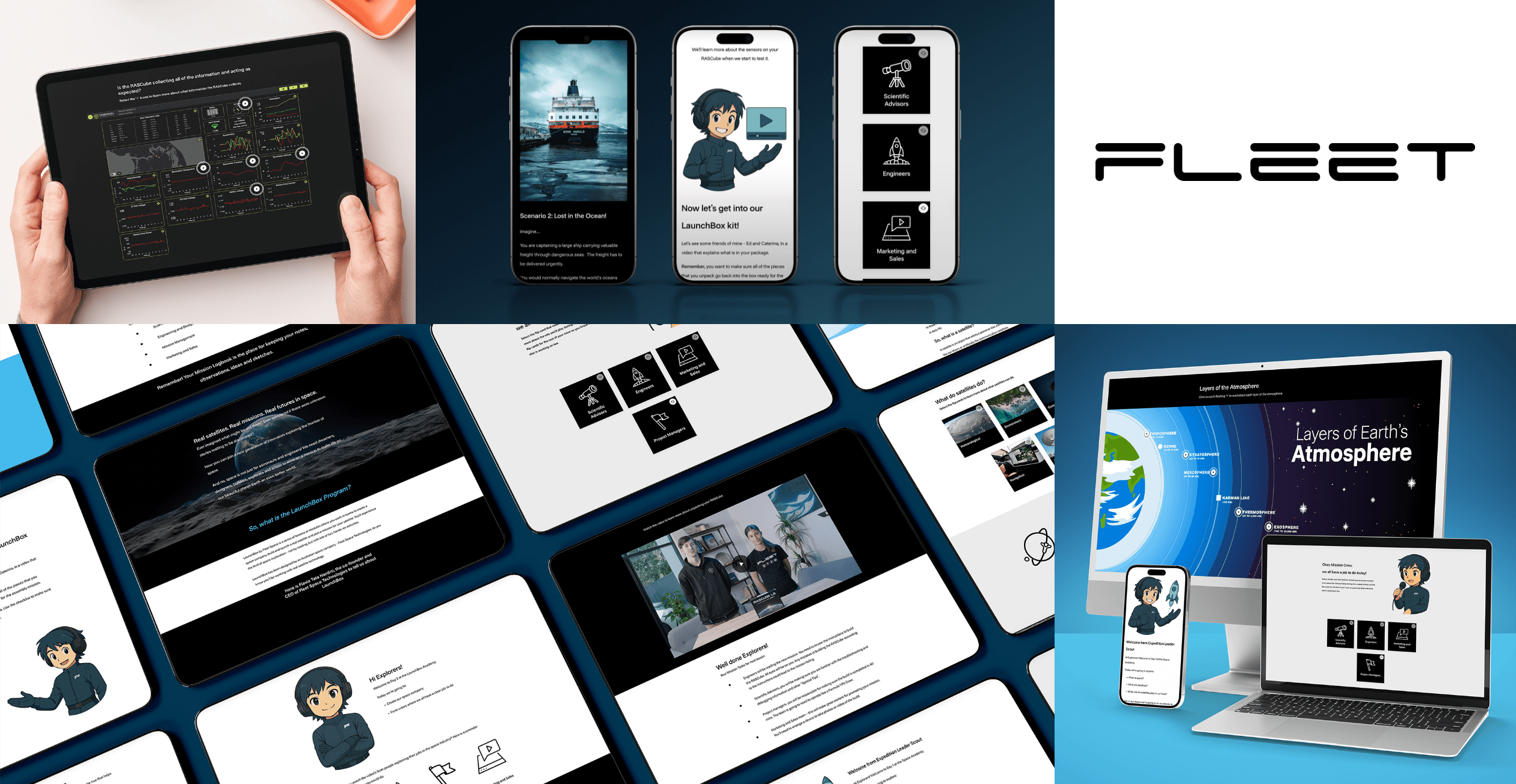
Fleet’s eLearning program, designed in Rise 360.
Hungry for eLearning that moves the needle?
At Hungry Minds, we’ve spent nearly two decades helping organisations cut through the noise. We build learning ecosystems that last: smart, scalable, strategic. Whether you’re designing bite-sized mobile learning or launching a full enterprise-wide capability build, the principle stays the same – pick tech that fits the way you teach, the way your people learn, and the way your business moves.
We love this topic so much, we’ve pulled together a full guide: The instructional designer’s toolkit: the best tools, templates and AI picks for 2025.
If you’re ready to talk about building a smarter learning ecosystem in your organisation, we’d love to hear from you! Book a call with Michael to get started.
FAQS
What is a learning strategy in an organisation?
A learning strategy is the game plan for how an organisation builds skills, shares knowledge, and grows its people. It connects learning to real business goals – so it’s not just training for training’s sake.
A good learning strategy helps answer:
- What do we need our people to be able to do?
- What skills or mindsets are we building for the future?
- How will we design, deliver, and measure learning that works?
It’s part roadmap, part rally cry – and when done well, it helps learning become a driver of performance, not just a support act.
What is the best eLearning software?
There’s no one-size-fits-all answer – but that’s kind of the point. The best eLearning software depends on your goals, content, team, and learners. That said, some platforms consistently earn their stripes:
- Articulate 360: Great for interactive, SCORM-compliant modules
- Rise: Fast, clean, and mobile-friendly
- Storyline: For more complex, custom interactions
- TalentLMS: To deliver, track and manage learning
At Hungry Minds, we don’t play favourites – we pick the tools that best support the strategy. Sometimes it’s big tech, sometimes it’s beautifully simple.
The goal? Learning that’s easy to access, hard to forget.
What is the best eLearning software?
There’s no one-size-fits-all answer – but that’s kind of the point. The best eLearning software depends on your goals, content, team, and learners. That said, some platforms consistently earn their stripes:
- Rise: Fast, clean, and mobile-friendly
- Storyline: For more complex, custom interactions
- TalentLMS: To deliver, track and manage learning
At Hungry Minds, we don’t play favourites – we pick the tools that best support the strategy. Sometimes it’s big tech, sometimes it’s beautifully simple.
The goal? Learning that’s easy to access, hard to forget.
What’s the difference between LMS and eLearning?
Think of eLearning as the what – the actual content learners engage with. That could be a video, quiz, micro-module, or full online course.
An LMS (Learning Management System) is the how – the platform that delivers, tracks, and manages that content. It’s where learners log in, where progress is recorded, and where reports are pulled.
Hungry for more?
Related blog articles: